 Ghostget
Tutorial · getting started · Ghostget 0.18.27
Install Ghostget and capture your first URL.
Give your agent local tools to read pages, save media, and use connected accounts. Start with one public-page read. No Ghostget account, API key, provider connection, or Markdown vault is needed.
This guide describes v0.18.27 and was checked against the public source for that immutable release.
What you need
A macOS or Linux computer, a terminal, and Bun 1.3.14. Check it with bun --version. Ghostget is free and MIT licensed. You can use it directly or with an agent that can run commands, such as Codex, Claude Code, or Cursor.
1. Install Ghostget
bun add --global https://github.com/hraness/ghostget/releases/download/v0.18.27/hraness-ghostget-0.18.27.tgzThis installs the CLI from the exact published GitHub release. If your shell cannot find ghostget, open a new terminal or run export PATH="$(bun pm bin -g):$PATH".
Upgrading from Wrench? Follow the Ghostget migration guide to keep existing local state and recovery records in place.
2. Read a public page
ghostget read https://example.comSuccess prints Example Domain, source metadata, and the page as Markdown. read does not save the page. Replace the URL with a page you want your agent to use.
A plain public-page read needs no connected account, media downloader, transcription model, or menu-bar companion. Pages that require JavaScript or sign-in can need additional setup. Ghostget does not bypass login, payment, access controls, or DRM.
Use Ghostget with your agent
Add the optional Agent Skill to teach a compatible agent the commands and supported workflows:
npx skills add hraness/ghostget#v0.18.27With Bun, use bunx skills add hraness/ghostget#v0.18.27. Start a new agent session, then ask: “Use Ghostget to read https://example.com and summarize it.” The skill supplies instructions; the CLI you installed supplies the executable.
Save and search pages
Choose a new directory for a local Markdown vault, then save your first page there:
ghostget init ./ghostget-notes
ghostget https://example.com --output ./ghostget-notes/articles
ghostget search "Example Domain" --root ./ghostget-notes --mode exact
Your saved page and capture metadata stay in that directory. Exact search needs no embedding model. The Markdown vault stores documents; it is separate from account credentials and 1Password. The capture and archives guide covers saving pages and downloading one accessible media item.
Connect one service
When you need a signed-in action, install this release’s bundled provider definitions and check the service you want:
ghostget adapter sync-bundled --json
ghostget capabilities
ghostget menubar
capabilities lists installed adapters. Add an adapter ID, such as ghostget capabilities gmail, to see its operations and required inputs. Add --json when your agent needs the complete contracts.
On macOS, the menu companion can connect X, LinkedIn, and Reddit browser sessions. Other providers and Linux account setup use the CLI instructions in the provider directory, including the focused guides for Beeper and WhatsApp. Some providers need their own local tool or OAuth client. Installing Ghostget does not connect any account automatically.
Use ghostget menubar doctor for companion platform and unsigned-binary guidance. See the control guide for startup, approvals, and credential import.
For keyboard controls, run ghostget menubar stop, then ghostget tui. Press Tab to change sections, Enter to open actions, and ? for help. Quit the TUI before restarting the menu. No Rust compiler or separate TUI install is needed.
Understand capability status
ghostget capabilities --json reports installed operation contracts. An observed contract still needs current account and runtime admission. A capture-required operation is unavailable until its contract is reviewed. The separate messaging.automation.* entries are owner-host permission ceilings and cannot dispatch through generic invoke or confirm.
If a workflow is unavailable
ghostget doctor
ghostget plugin doctor --json
Doctor reports capture, media, provider setup, and durable recovery. It can also finish safe recovery of interrupted work. Install only the dependencies needed by your chosen workflow. Missing media tools or unconnected providers do not prevent a plain public-page read, and the overall provider-readiness result can be false on a fresh installation.
For an account error, check that the intended account is connected and the requested action is listed. For a capture error, try a public page first. Keep indeterminate writes for reconciliation; do not repeat a send because its response was lost.
Watch one complete read
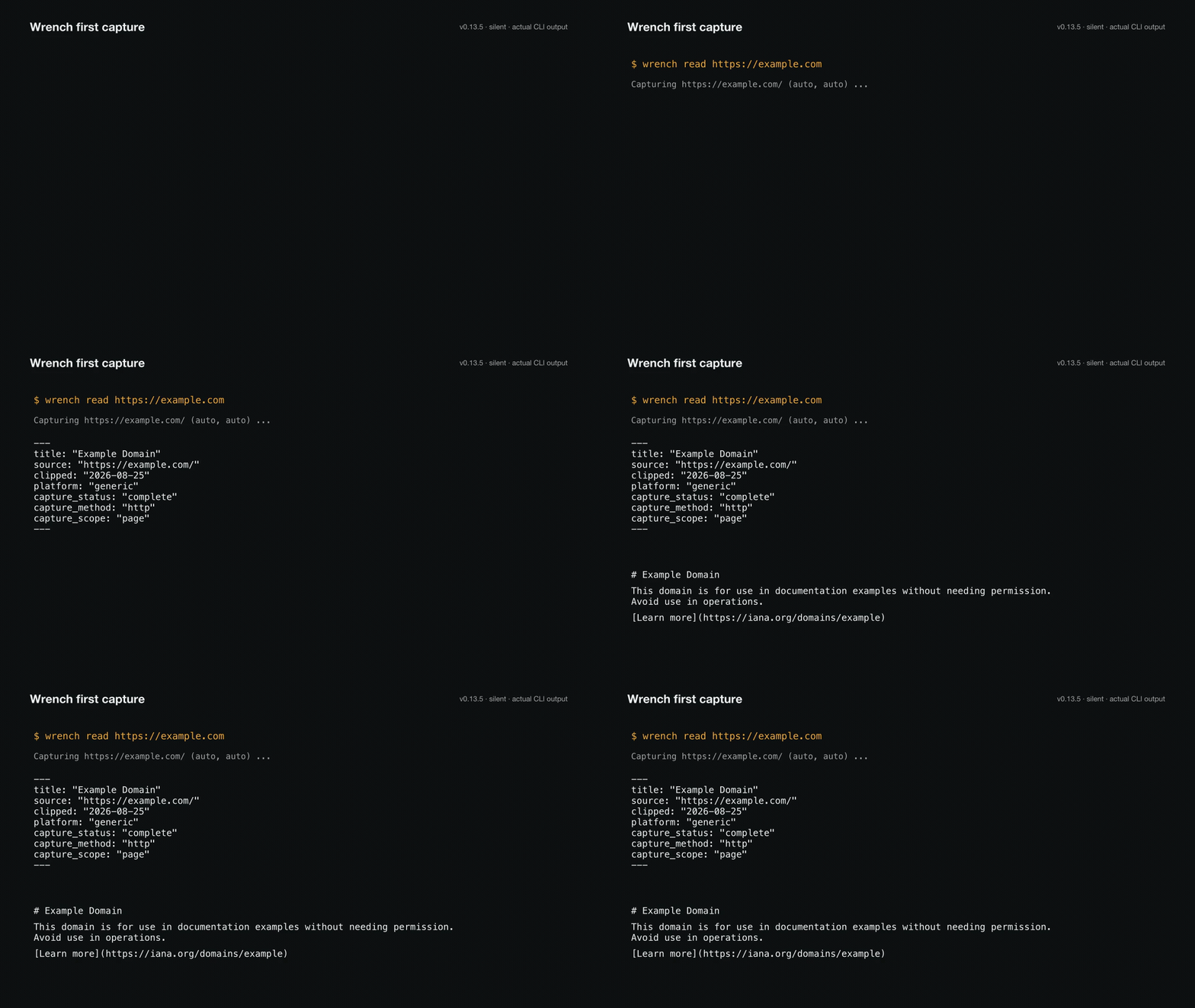
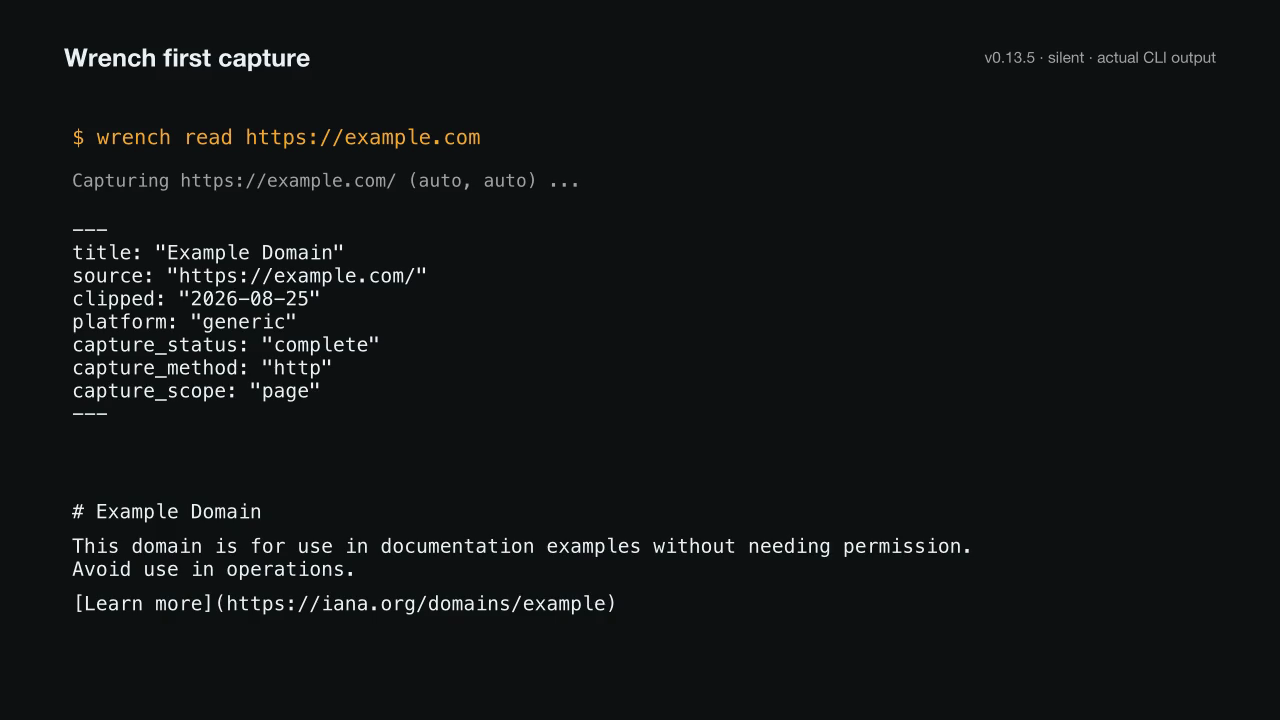
This historical 12-second demo typesets the output from a successful Wrench 0.13.5 run on August 25, 2026, before the project became Ghostget. The current command is ghostget read. It fetches the public page, prints bounded Markdown, and does not add the result to a vault. The silent recording and transcript retain the original command.
Reuse the animated GIF or PNG preview. Both show the same successful public-page read.
Read the demo transcript
$ wrench read https://example.com
Capturing https://example.com/ (auto, auto) ...
---
title: "Example Domain"
source: "https://example.com/"
clipped: "2026-08-25"
platform: "generic"
capture_status: "complete"
capture_method: "http"
capture_scope: "page"
---
# Example Domain

This domain is for use in documentation examples without needing permission. Avoid use in operations.

[Learn more](https://iana.org/domains/example)
Use Ghostget from TypeScript
Applications can pin the same release and import its side-effect-free package entrypoints:
bun add https://github.com/hraness/ghostget/releases/download/v0.18.27/hraness-ghostget-0.18.27.tgzimport {
isProviderPluginId,
type ProviderPluginDefinitionV1,
} from "@hraness/ghostget"
if (!isProviderPluginId(candidate.id)) {
throw new Error("invalid plugin ID")
}
const plugin = candidate satisfies ProviderPluginDefinitionV1The package has eight public TypeScript entrypoints: @hraness/ghostget for plugin types and bounded validators, @hraness/ghostget/client for persistent reads and strict live invocation, @hraness/ghostget/beeper for body-free contact interactions, @hraness/ghostget/apple-photos for local Photos contact evidence, @hraness/ghostget/whatsapp for the bounded private Message Like Me export, @hraness/ghostget/omni for normalized cross-provider reads, @hraness/ghostget/messaging for agentic route discovery and resolution, and @hraness/ghostget/messaging-automation for the trusted owner host and its closed protocol types. Imports are inert in Node and Bun; constructing an automation host requires Bun and explicit provider setup. Use ghostget messaging automation serve --stdio for built-in account and managed-permission enforcement. See the owner messaging guide before granting authority.
Ghostget developer resources
These are the current public Ghostget developer resources for the CLI, TypeScript SDK, Agent Skill, and provider plugin workflow. Ghostget does not publish a hosted API, OpenAPI description, OAuth developer portal, webhook catalog, or MCP server.
- Install the
@hraness/ghostgetCLI and TypeScript SDK from GitHub Releases - Install the Ghostget Agent Skill from skills.sh with
npx skills add hraness/ghostget#v0.18.27 - Capture URLs and create verified media archives
- Watch and download the first-capture demo
- Provider capability attestation
- Security and local custody
- Author and verify provider plugins
- Source, issues, and release tags
- Plugin protocol guide for v0.18.27
- Agent site guide (llms.txt)